How to schedule a report (VMS)
Some reports in the voice management suite can be scheduled so that the report is emailed to you. These reports have date settings where you can choose a daily, weekly or monthly period.
To schedule a report, run the report online first to confirm its contents and set the schedule.
- Choose the report and select the date ranges (yesterday/today, last week/this week, beginning/end of month)
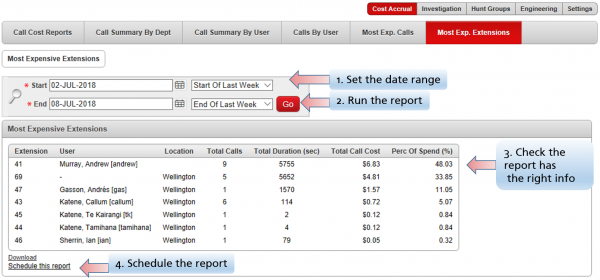
- Run the report
- Confirm it has the desired content
- Schedule the report
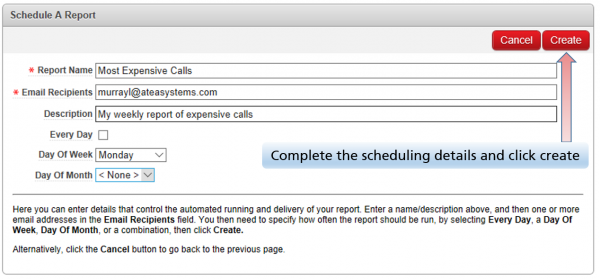
- Enter a name for the report (appears as the email subject) and enter the email address(s)
- Set when to send the report
To view the list of reports and delete a schedule
- Navigate to Settings > Scheduled reports
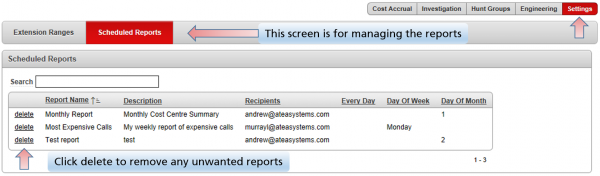
- Find your report (there's search box if you need it)
- Click delete next to any of the reports you want to remove
- Confirm that you want to delete report

Applies to VMS 7.1